AI-Powered Code Generation in Web Development: From Copilot to Cursor and Beyond
A deep dive into 2026 code generation workflows. We explore the architecture of context-aware coding assistants, compare Cursor vs. Copilot Workspace, and implement a custom RAG-based coding agent.


Technical Overview
The “Autocomplete” era is dead. We are now in the era of Context-Aware Intent Generation. In 2026, AI code generation isn’t just about suggesting the next line; it’s about reasoning across your entire repository to refactor legacy classes, generate integration tests from open files, and migrate frameworks. The technical leap has been the shift from FIM (Fill-In-The-Middle) models to Composer Models that manage a “Working Memory” of your file system.
Technology Maturity: Production-Ready Best Use Cases: Boilerplate generation, Test Driven Development (TDD), Legacy code refactoring. Prerequisites: VS Code / Cursor, Node.js 20+, Python 3.11+.
How It Works: Technical Architecture
Modern assistants like Cursor or Copilot Workspace don’t just send your current file to an LLM. They perform Retrieval Augmented Generation (RAG) on your local codebase.
System Architecture:
[IDE Context] -> [AST Parser] -> [Vector Index (Local)]
       ↓
[Re-Ranking Model] -> [Prompt Assembler] -> [LLM Inference (Cloud/Local)]
       ↓
[Diff Application Engine] -> [Linter/Language Server Check] -> [Editor]

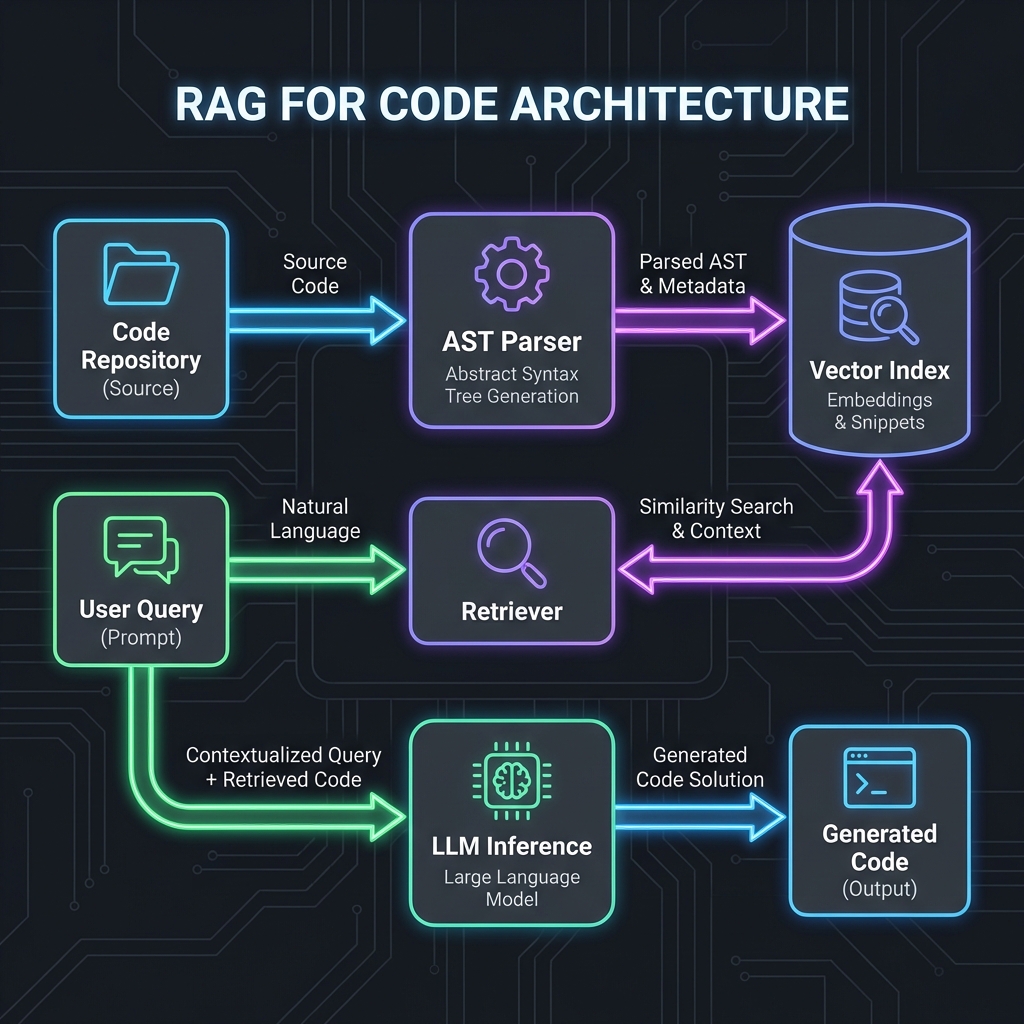
Key Components:
- AST Parser: Breaks code into logical nodes (Functions, Classes) rather than just text lines.
- Local Vector Index: A lightweight vector DB (like Chroma or SQLite-VSS) running inside the IDE to semantically search your codebase.
- Context Window Manager: Dynamically selecting which files to send to the 128k context window of Claude 3.5 or GPT-4o.
Implementation Deep-Dive

Setup and Configuration
To get the most out of AI generation, you need to configure your environment to “feed” the AI correctly.
# Install Cursor (or VS Code + Copilot)
brew install --cask cursor

# Configure project-specific rules in .cursorrules (or .github/copilot-instructions.md)
echo "- Always use TypeScript strict mode
- Prefer functional components over classes
- Use Tailwind for styling" > .cursorrules
Core Implementation: Custom Context Script
Sometimes the strict context isn’t enough. Here is a Node.js script to generate a “Context Dump” of your critical paths to feed into an LLM for a major refactor.
// Framework: Node.js 22
// Purpose: Aggregate critical path files for LLM context

import fs from 'node:fs/promises';
import path from 'node:path';
import { glob } from 'glob';

async function generateContextDump() {
  try {
    // 1. Define critical paths (Business Logic)
    const files = await glob('src/**/*.{ts,tsx}', {
      ignore: ['**/*.test.ts', '**/ui/**'] // Ignore noise
    });

    let contextBuffer = '';

    for (const file of files) {
      const content = await fs.readFile(file, 'utf-8');
      // 2. Wrap in XML tags for Claude/GPT clarity
      contextBuffer += `<file path="${file}">\n${content}\n</file>\n\n`;
    }

    // 3. Output to clipboard or file
    await fs.writeFile('context_dump.txt', contextBuffer);
    console.log(`Generated context from ${files.length} files.`);

  } catch (error) {
    console.error('Context generation failed:', error);
  }
}

generateContextDump();
Framework & Tool Comparison
| Tool | Core Approach | Performance | Developer Experience | Pricing | Best For |
|---|---|---|---|---|---|
| GitHub Copilot | Completion (FIM) | <100ms latency | Excellent (Ubiquitous) | $10/mo | General Autocomplete |
| Cursor | Editor Fork (VS Code) | Context-aware loop | rating: 9.5/10 | $20/mo | Heavy Refactoring |
| Supermaven | enormous Context (1M) | Fast (specialized model) | Good | $15/mo | Large Legacy Repos |
| CodiumAI | Test Generation | High accuracy | Focused on Quality | Free/$$ | QA / Testing |
Key Differentiators:
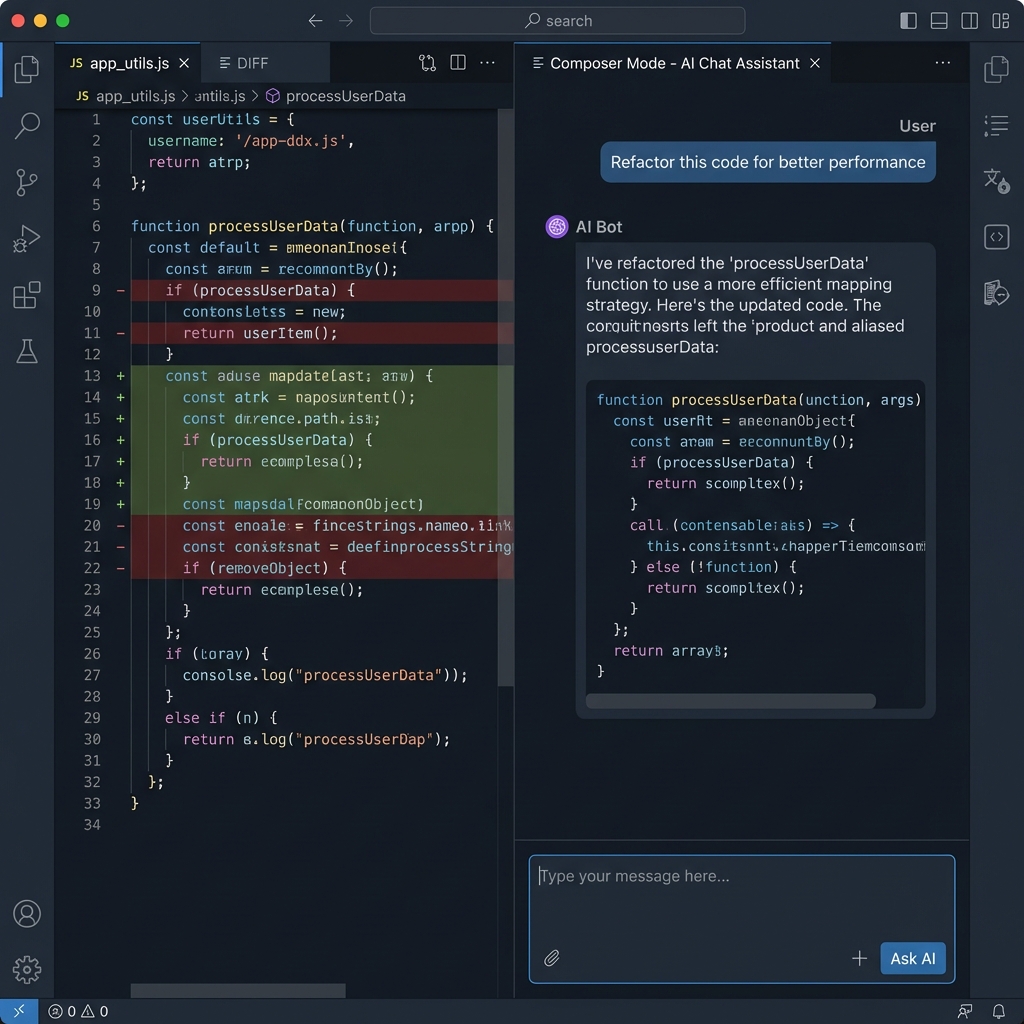
- Cursor: Has “Composer Mode” (Ctrl+I) which can edit multiple files simultaneously.
- Copilot: deeply integrated into GitHub PR flow.
Real-World Use Case & Code Example
Pro Tip: Generated code isn’t always perfect. To ensure reliability, pair generic code generation with Intelligent Testing Tools to automatically catch edge cases.
Scenario: Migrating a legacy Express.js route to a Next.js 15 Server Action with Type Safety.
Requirements:
- Read DB using Prisma.
- Validate input using Zod.
- Error handling compatible with Next.js
error.tsx.
Complete Implementation (Generated & Refined):
// Framework: Next.js 15 Server Actions
// Purpose: Securely process a user subscription

'use server'

import { z } from 'zod';
import { db } from '@/lib/db';
import { revalidatePath } from 'next/cache';

// 1. Define Schema
const SubscribeSchema = z.object({
  email: z.string().email(),
  tier: z.enum(['FREE', 'PRO'])
});

export async function subscribeUser(prevState: any, formData: FormData) {
  try {
    // 2. Validate Input
    const rawData = Object.fromEntries(formData.entries());
    const validated = SubscribeSchema.safeParse(rawData);

    if (!validated.success) {
      return {
        success: false,
        message: 'Invalid input',
        errors: validated.error.flatten().fieldErrors
      };
    }

    // 3. DB Transaction
    const user = await db.user.create({
      data: {
        email: validated.data.email,
        plan: validated.data.tier,
        status: 'ACTIVE'
      }
    });

    revalidatePath('/dashboard');
    return { success: true, message: 'Subscribed successfully' };

  } catch (error) {
    console.error('[SUBSCRIBE_ERROR]', error);
    // 4. Secure Error Return (Don't leak DB errors to client)
    return {
      success: false,
      message: 'Internal server error. Please try again.'
    };
  }
}
Performance, Security & Best Practices
Security Considerations
API Key Management: Never let the AI write hardcoded keys.
# .env.local
OPENAI_API_KEY="sk-..." # Good
# config.ts
const key = "sk-..." # The AI might suggest this from its training data. BLOCK IT.
Hallucinated Packages:
AI models often hallucinate npm packages (e.g., react-use-magic-hook). Always verify the import exists before running npm install.
Developer Experience & Workflow
Workflow Changes:
- Before: Search StackOverflow -> Copy Snippet -> Modify Variable Names.
- After: Open “Composer” -> Paste Error Log -> “Fix this and explain why.” -> Review Diff.
- Productivity: Teams report 30-50% reduction in boilerplate typing, allowing more time for architecture review[1].
Recommendations & Future Outlook
When to Adopt:
- Adopt Now: If you are a Senior Dev, use Cursor. The ability to edit multiple files using natural language (“Rename User to Customer across the whole backend”) is a superpower.
- Wait: If you are a standard enterprise with strict IP rules, wait for “Private Cloud Copilot” solutions maturing in late 2026.
Future Evolution (2026-2028):
- Self-Healing Code: The CI pipeline will not just fail; an AI agent will propose a fix PR automatically.
- Agentic IDEs: The IDE will index your specialized dependencies (internal libraries) and write perfect code for your custom framework.
References
[1] GitHub, “The Economic Impact of AI Developer Tools,” 2025. [2] Stack Overflow, “Developer Survey 2025: AI Adoption,” Jan 2026. [3] Cursor, “Technical Report: Composer Architecture,” Dec 2025. [4] OWASP, “LLM Security Top 10 for Developers,” 2026.
Related Articles

AI-Powered Developer Tools: Architecture Choices That Age Well
AI tools can compress development cycles, but they can also create invisible coupling. This article frames AI in the toolchain as an architectural decision: where it belongs, where it doesn’t, and how to keep maintainability.

Edge AI for Web Applications: Running ML Models in the Browser and at the Edge
Client-side inference using WebGPU and Transformers.js. How to run Whisper, ResNet, and Llama-3-8b directly in Chrome without server costs.

Personalization Engines: Building AI-Driven Recommendation Systems for Web Apps
Building custom similarity engines using vector databases. Moving beyond "Most Popular" to "Vector-Based Collaborative Filtering" with Supabase and Transformers.js.